 Jeman


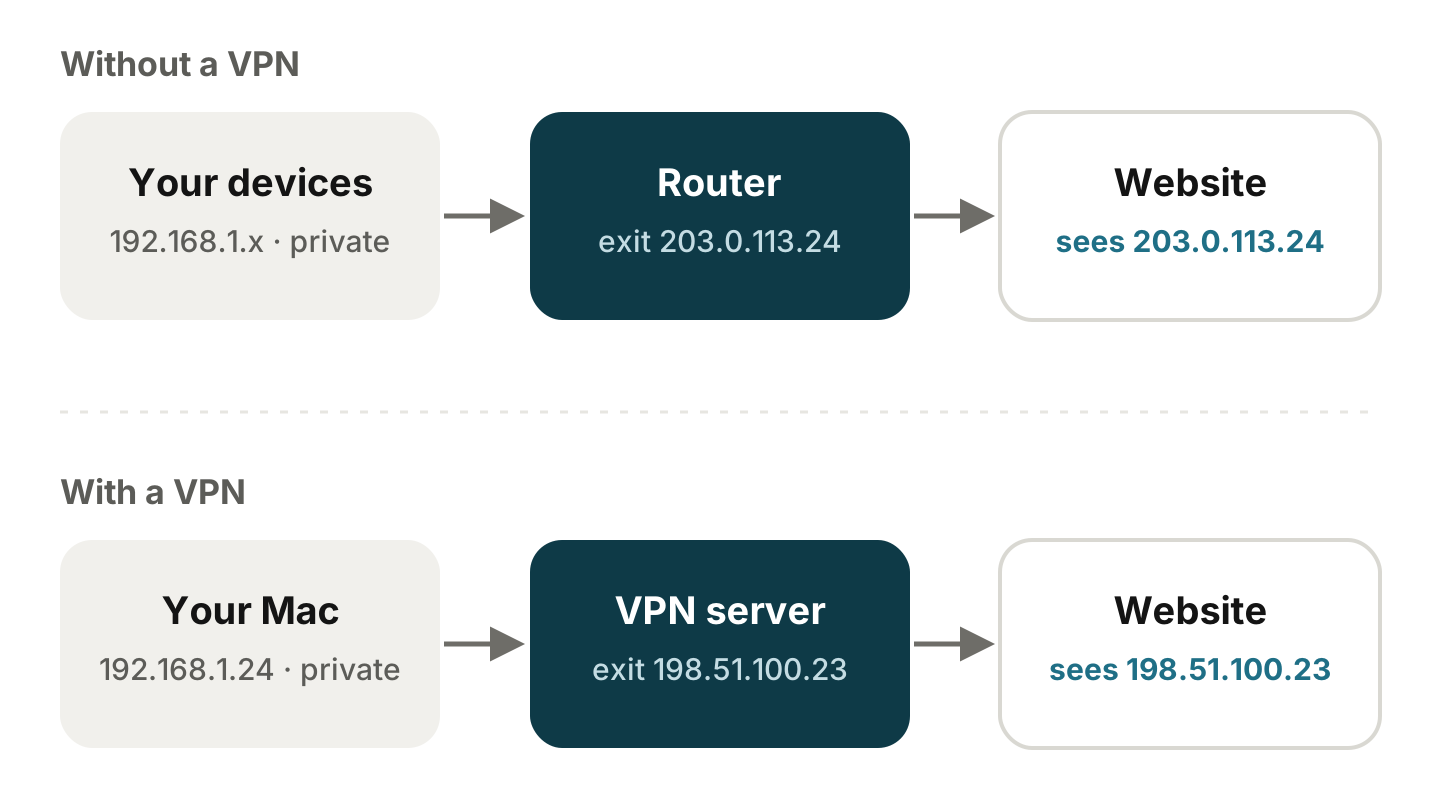
Every device on your home network has its own private address, something like 192.168.1.23. None of those ever reach the internet. When your traffic leaves your network, it carries one public address instead. That public address is your exit IP: the address websites, apps and online services see when you connect to them.
What decides your exit IP
- At home, it’s the public address your provider gives your router. The router translates between that one address and the private addresses of your devices, a job called NAT.
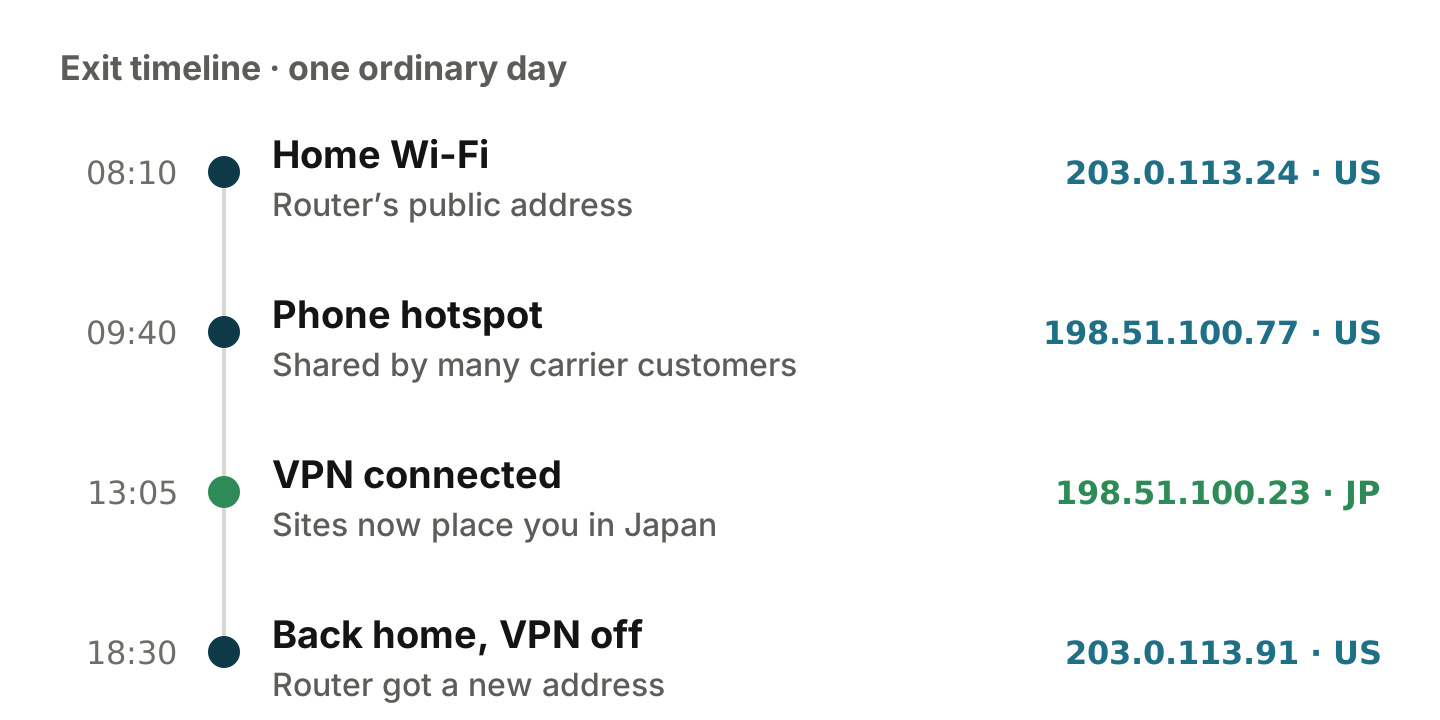
- On mobile data, and on some home connections, providers share one public address among many customers, known as carrier-grade NAT. Your router or phone may then show an address starting with
100.64to100.127. That isn’t your exit IP; the real one sits further upstream. - With a VPN or proxy, your exit becomes the server you connect through. Sites see the server’s address and usually place you in its country.
- With IPv6, there’s no NAT at home: your Mac uses a public IPv6 address of its own, and macOS rotates temporary IPv6 addresses regularly for privacy. Your IPv6 exit can therefore differ from your IPv4 exit, even on the same network.
Why it keeps changing
- Your provider reassigns it. Many home connections get a dynamic address that can change when the router restarts or its lease renews.
- You change networks. Home Wi-Fi, the office, a phone hotspot and a café each have a different exit.
- Your VPN reconnects. After a dropout, sleep or an app update, many VPN apps pick a different server, sometimes in another city or country.
- Your rules pick different routes. With split tunneling or a rule-based proxy, different sites can use different exits at the same time. Here’s how to check that each site goes the right way.
- IPv6 privacy addresses rotate on their own schedule.
Why it matters
- Sign-ins and security. Many services compare your exit with where you usually sign in. A sudden jump to another country can trigger extra verification or end a session.
- Region. Streaming catalogs, app stores and some sites follow the country of your exit, not where you are.
- Reputation. Some exits are known VPN, data-center or Tor addresses. Sites may show more CAPTCHAs or block them outright.
- Allow-lists. If a server or a work tool only accepts your office or home address, a changed exit locks you out.
- Privacy. If you rely on a VPN, an exit that quietly falls back to your own address means you’re no longer covered.
How to see your exit IP
In Terminal (Applications › Utilities › Terminal):
curl -s https://www.cloudflare.com/cdn-cgi/trace | grep -E '^(ip|loc)='ip= is your exit IP and loc= the country Cloudflare places it in. Put -4 or -6 after curl to check IPv4 and IPv6 separately. You can also open the same address in your browser, which is handy if you use a proxy that only your browser goes through.
That answers the question for one moment. The trouble is that exits tend to change when you aren’t looking: during a call, while a download runs, or overnight.
Netlink keeps your exit in the Mac menu bar. It checks it in the background every 1 to 30 minutes (5 by default), notifies you when it changes and records each change on a timeline. It also tells you whether the exit is flagged as a VPN, data-center or Tor address, using lists built into the app, and whether your Mac’s time zone matches the exit’s country.