Jeman


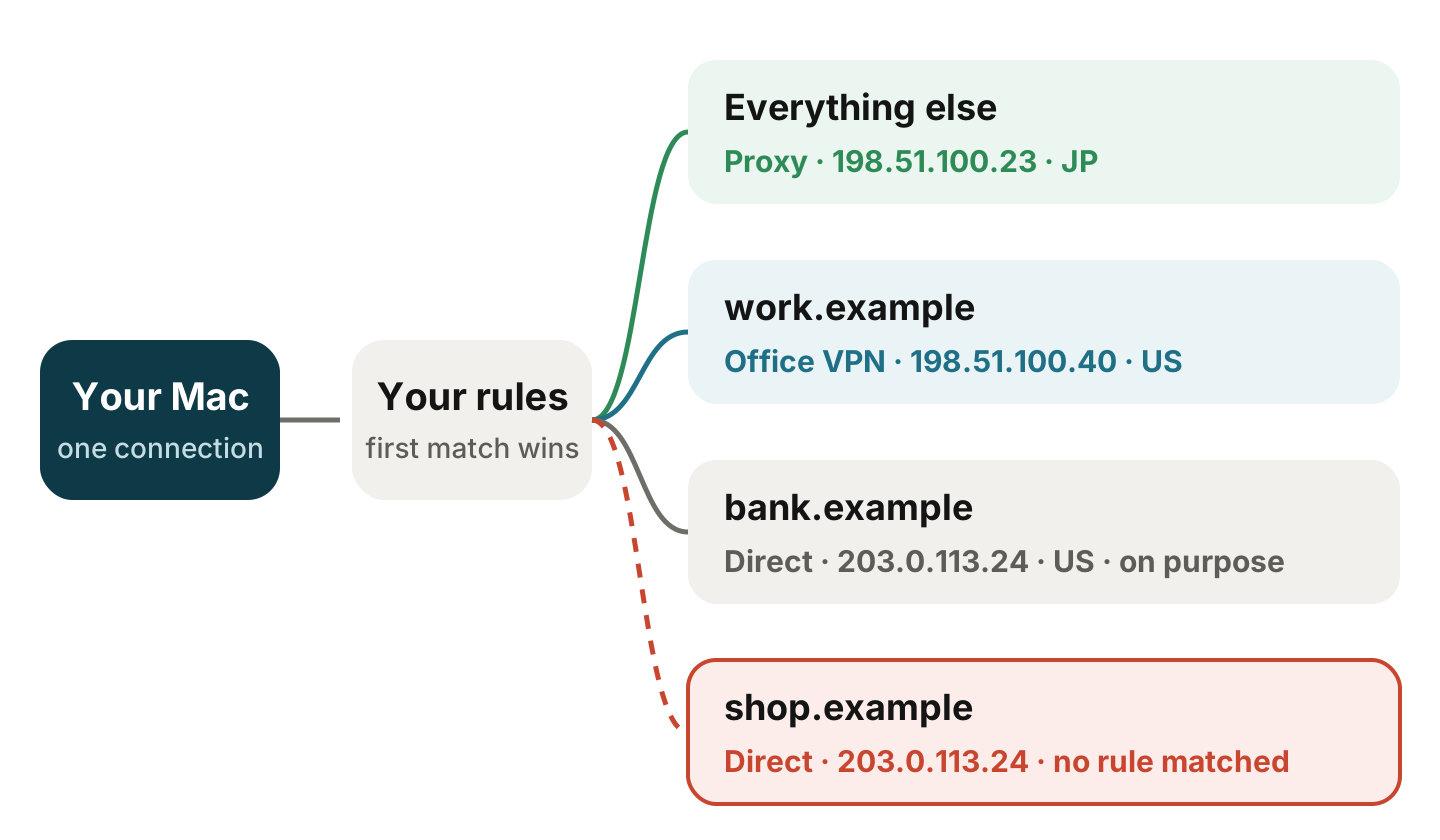
Split tunneling sends some of your traffic through a VPN and lets the rest go directly over your own connection. Rule-based proxy apps do the same at a finer level, choosing a route for each domain or address: your bank goes direct, work tools through the office VPN, everything else through a server abroad.
It’s convenient, and easy to get wrong. One rule that doesn’t match, one domain you forgot, or one app that ignores your proxy, and a site you meant to cover quietly sees your real address.
1. Know your own address
Turn the VPN or proxy off and open this page in your browser:
https://www.cloudflare.com/cdn-cgi/trace
Note the ip= and loc= lines. That’s your own exit, the one you don’t want covered sites to see. Then turn your VPN or proxy back on.
2. Ask each site which exit it sees
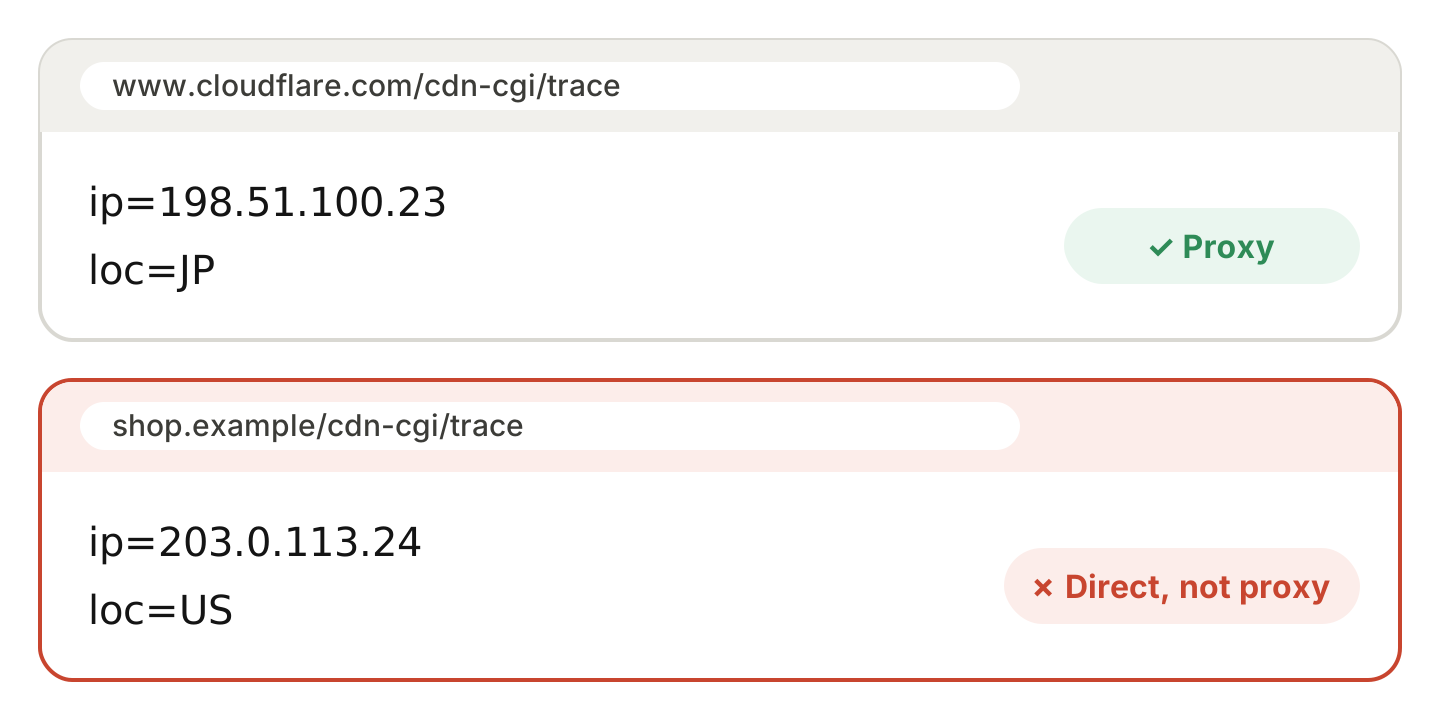
The only reliable test is to ask from the outside, because what matters is the address the site sees. Many sites served through Cloudflare answer the same trace page, and each answer shows the exit that particular site saw.
Open these in the browser you normally use:
https://www.cloudflare.com/cdn-cgi/traceas a baseline, unless your rules treat Cloudflare speciallyhttps://<a site from your rules>/cdn-cgi/tracefor each site you care about, if it’s served through Cloudflare
For a site that isn’t on Cloudflare, look for a page that shows your sign-in activity; many services list the address of each recent session in their account or security settings.
Compare the ip= lines. If a site you meant to send through the proxy shows your own address from step 1, its rule isn’t working.
Use the browser rather than Terminal for this if your app works as a system proxy. Command-line tools such as curl ignore the macOS proxy settings, so they go direct and can make a working setup look broken.
3. Check the routing table for system VPNs
System-level VPNs add a network interface to your Mac. For WireGuard and most VPN apps it’s named utun followed by a number, such as utun4; some built-in VPN types use ipsec0 or ppp0 instead. Terminal can tell you which interface a destination will use:
route -n get 203.0.113.10 | grep interface
route -n get work.example | grep interface
The first line checks an ordinary internet address (this one is reserved for examples; the lookup sends no traffic). Replace work.example with a real host from your rules. A utun, ipsec or ppp interface means the VPN carries it; en0 (usually Wi-Fi) or another physical interface means it goes direct. Rule-based proxies decide inside the app instead, so for them the routing table won’t tell you much; stick with step 2.
4. Watch for mismatches that give you away
Even when each rule works, a mixed setup can still look odd from the outside:
- One service, two exits. A site’s pages load through one exit while its sign-in or API domain goes through another, so the service sees two countries in a single session.
- DNS one way, traffic the other. Lookups go to your own provider while traffic leaves through the VPN. Here’s how to check your DNS.
- Time zone versus exit. Some sites compare your device’s time zone with the country of your exit. A Tokyo exit with a New York clock stands out.
Common causes
- Rule order. Most rule-based apps use the first rule that matches, so a broad direct rule above a specific one wins.
- Domains versus addresses. Apps that connect straight to an IP address, or use their own DNS, skip domain-based rules.
- Apps that ignore the system proxy. Many command-line tools, some games and updaters connect directly. A tunnel mode (often called TUN or enhanced mode) covers them.
- IPv6. Rules written only for IPv4 let IPv6 traffic take its own path.
- UDP. In some setups, UDP traffic, including HTTP/3, doesn’t follow the same rules as regular TCP connections.
Let your Mac keep checking
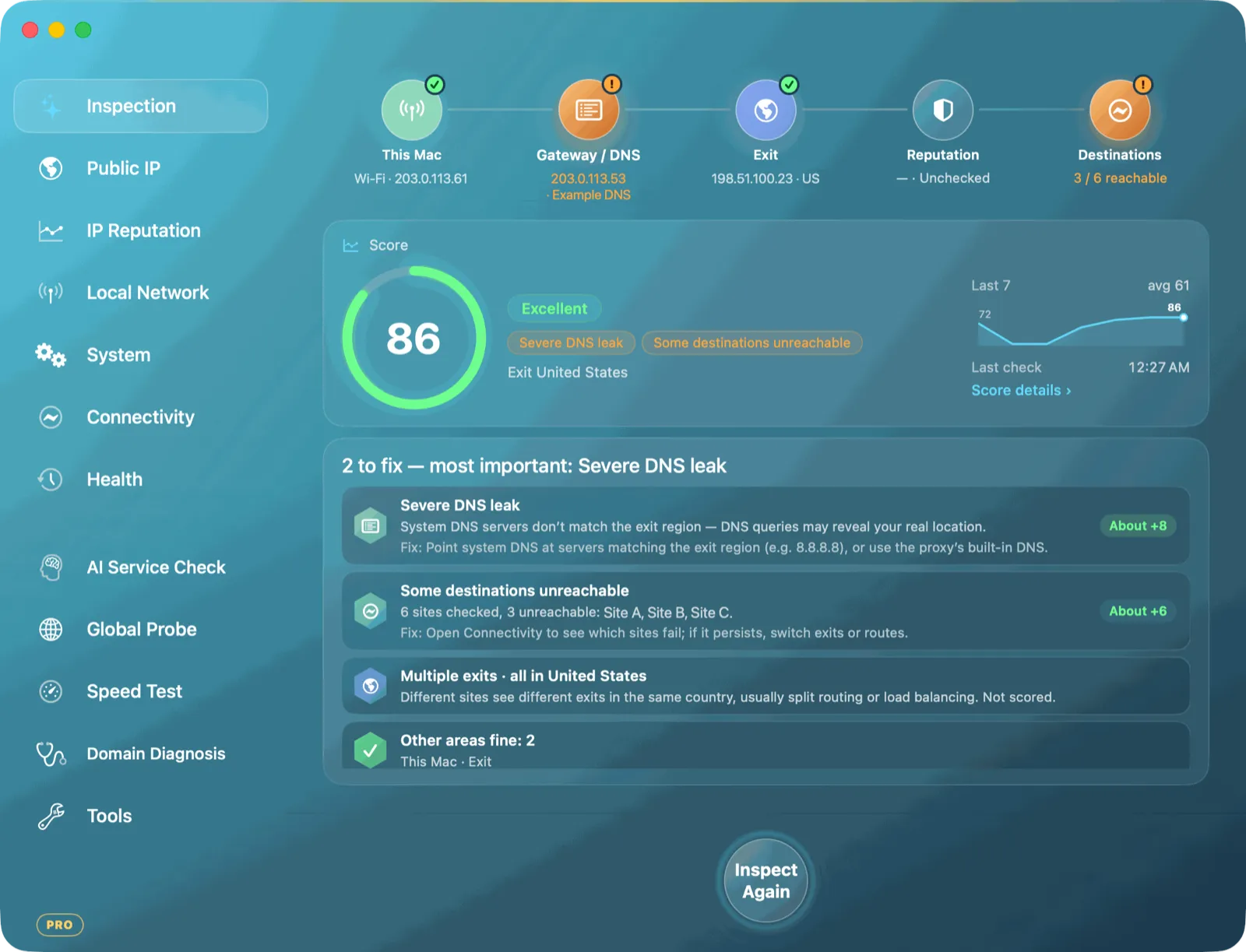
Netlink checks your exit through several services at once and tells you when sites see different exits, which usually means split routing or load balancing. It also checks whether your Mac’s time zone matches your exit. Pro adds a direct-versus-proxy comparison and alerts when the two lookup routes disagree.