 Jeman


If you use Claude Code or Codex every day, you’ve probably hit a limit at the worst moment: halfway through a refactor, the tool stops and tells you to come back later.
The limits themselves are reasonable. What makes them painful is that you can’t see them while you work, so they always arrive as a surprise.
How the limits work
Both tools measure usage in windows rather than one monthly bucket:
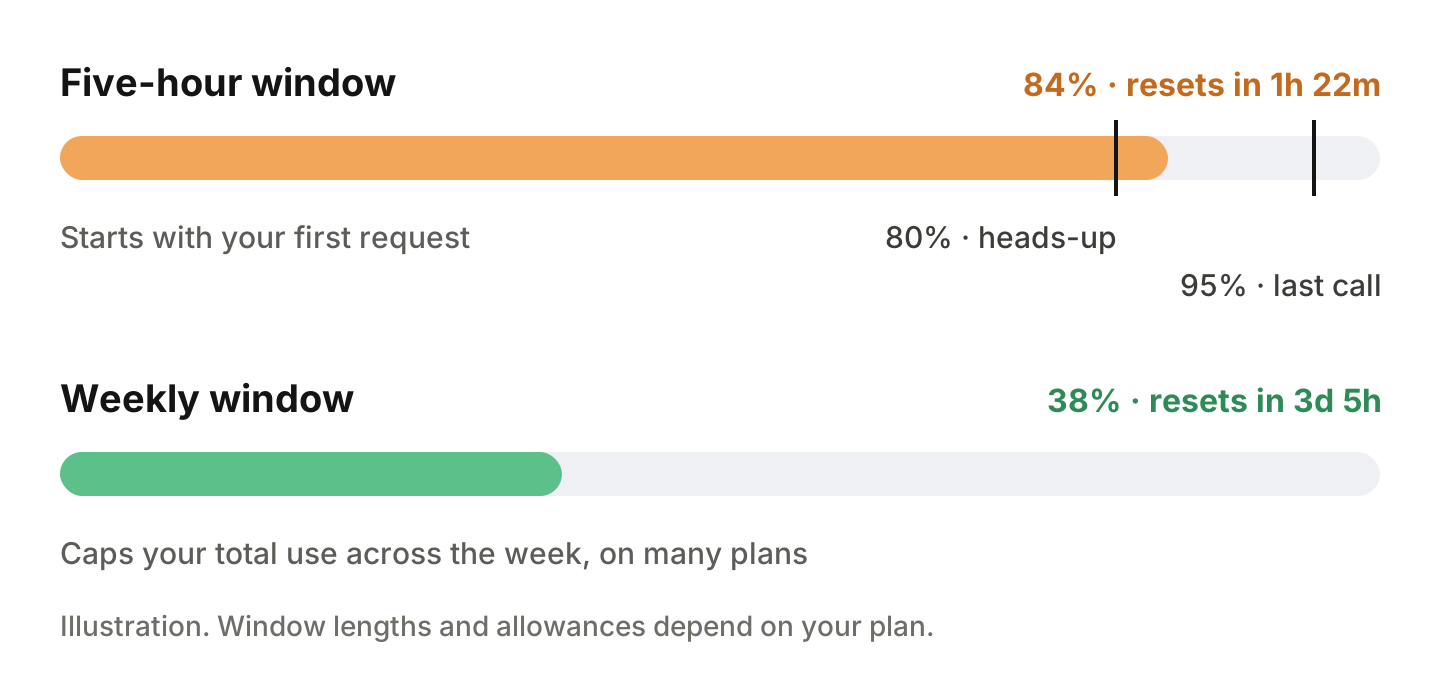
- A short window, typically five hours. It starts with your first request and resets when it ends, whether or not you used it all.
- A weekly window on many plans, which caps your total use across the week.
How far a window stretches depends on your plan, how large your requests are and which model you use, and providers adjust the details from time to time. Their own usage pages are always the official source.
Plan around the reset
- Check before you start something long. A big refactor started at 85% of a window probably won’t finish in it.
- Spend the last few percent on wrapping up. When you’re close, use what’s left to commit your work and write notes for the next session, rather than starting a new change.
- Know the reset time. If the window resets in 20 minutes, a break may cost less than switching tools and losing context.
- Save the heaviest model for the hard parts. On plans where larger models use your allowance faster, small edits don’t need them.
Watch your limits from your iPhone
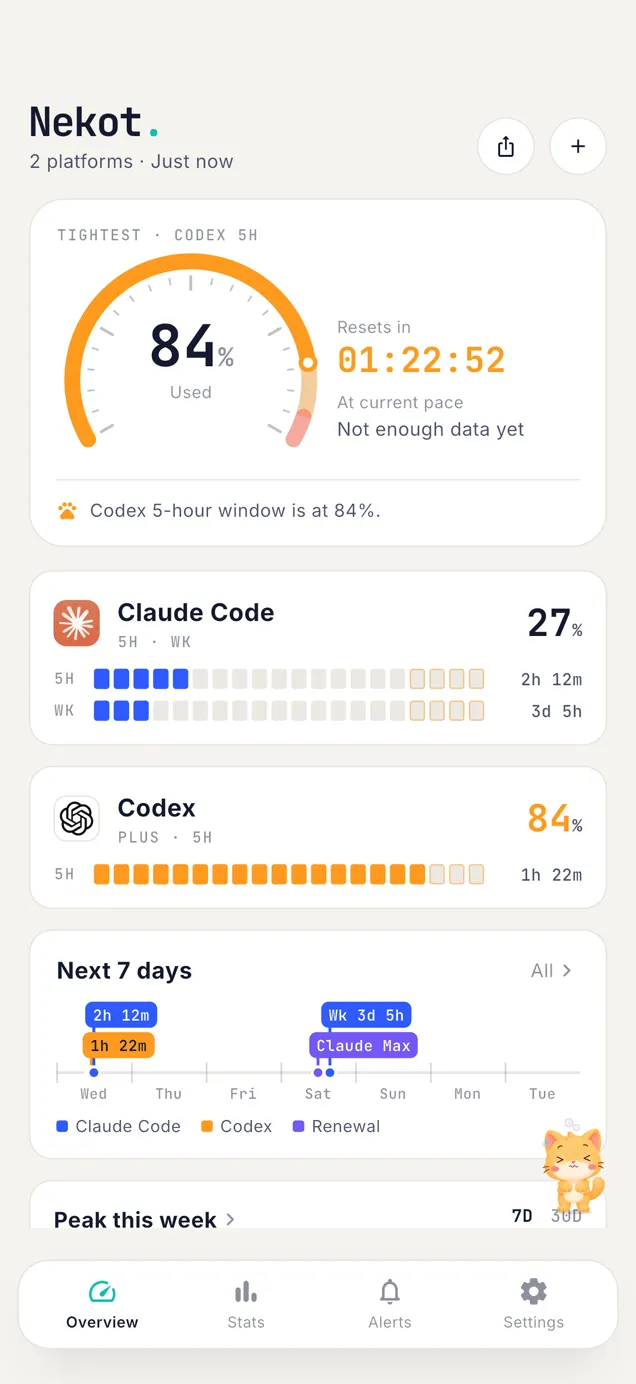
All of this is easier when the numbers are a glance away, without opening a browser in the middle of a task. Nekot puts every window on one screen: cockpit dials, tick bars and reset countdowns for Claude Code and Codex, plus a 7-day timeline of every reset.
To set it up:
- Install Nekot on an iPhone with iOS 17 or later, and open it.
- Connect Claude Code: choose Sign in with account, open the authorization page and paste the code back into the app, or paste an access token instead.
- Connect Codex: log in through the web page inside the app, or paste an access token.
- Allow notifications. Nekot alerts you when a window crosses 80% and again at 95%, once each time, plus a note when a window resets. Alerts are created on your iPhone; no push server is involved.
- Add the widget: touch and hold the Home Screen, tap the add button and search for Nekot. Widgets show when they were last updated. iOS decides how often widgets refresh in the background, so they can lag a little behind the app.
Pro adds a live countdown to your next reset in the Dynamic Island, longer usage history and more than one account per platform.
Nekot has no server and no account. Your credentials stay in your iPhone’s Keychain, and the app talks to each provider directly over HTTPS.
Nekot is an independent app from Jeman. It is not affiliated with, endorsed by, or sponsored by Anthropic or OpenAI. Usage figures come from endpoints the providers use for their own clients and may change without notice; if numbers look off, compare them with the provider’s own usage page.